Bring your template
Write HTML and CSS. Save a reusable template from the Console.
JSON IN. PDF OUT.
Go from a JSON payload to a finished PDF. One API call. Your HTML templates. No document storage.
Start buildingBuilt for your stack. Designed to stay out of your way.
curl --fail-with-body --request POST \ https://api.sysinvoice.com/v1/invoices/generate \ --header "Authorization: Bearer $SYSINVOICE_API_KEY" \ --header 'Content-Type: application/json' \ --header 'Accept: application/pdf' \ --data '{ "template_id": "tpl_your_invoice_template", "document_data": { "invoice_number": "INV-2026-001", "issued_at": "2026-11-10", "currency": "EUR", "line_items": [ { "description": "API integration", "qty": 1, "price": 240, "amount": "240.00" } ], "total": "240.00" }}' \ --output invoice.pdf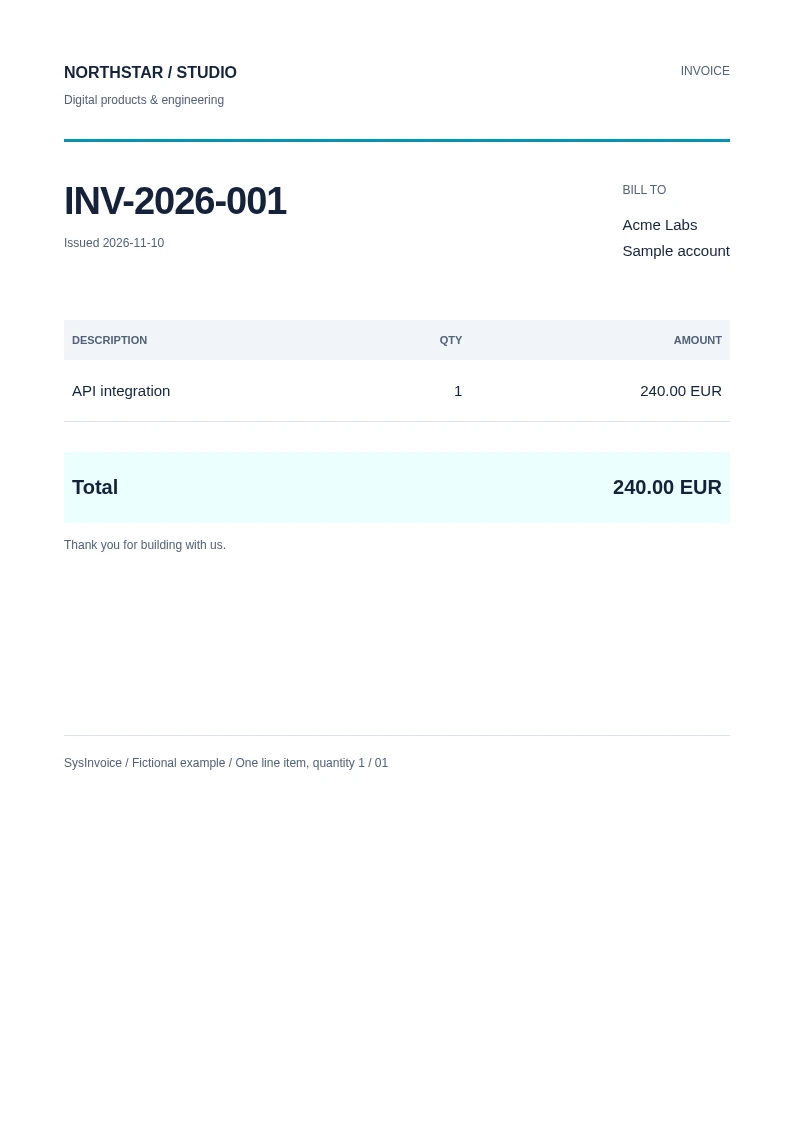
FROM PAYLOAD TO PAPER
Keep your business logic. Let the API handle the document.
Write HTML and CSS. Save a reusable template from the Console.
Authenticate with an API key and pass your template_id and document_data.
Receive PDF bytes in the response. Stream them straight to your application.
Document payloads and generated PDFs are processed in memory, without document storage.
Use HTML and compiled Tailwind CSS. No proprietary document designer to learn.
An HTTP request fits into your existing backend, queue or automation.
Start with the request above. Connect your own template when you are ready.